
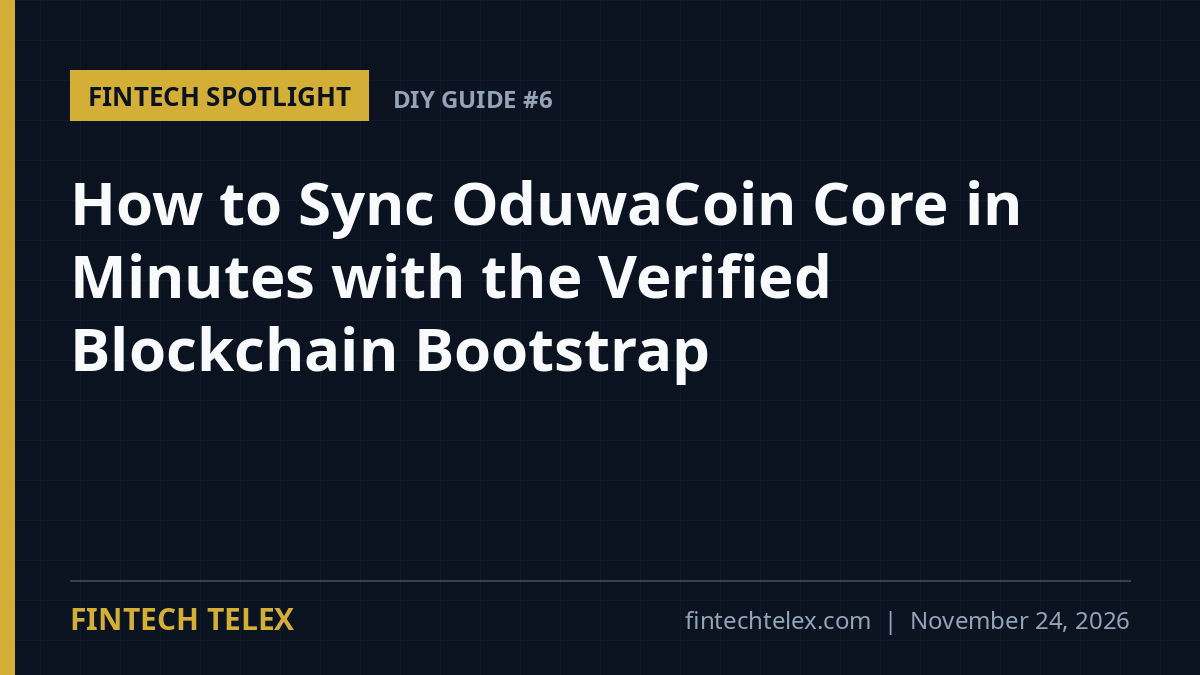
This sixth Fintech Spotlight guide shows how to skip most of the long first sync of OduwaCoin Core. Instead of downloading every block from block 0, you load a verified snapshot of the blockchain, OduwaCoin-DB.zip, and let your wallet catch up only the last few days. It works on Windows, macOS and Linux, and takes about 20 to 40 minutes, most of it download time.
What you need
- OduwaCoin Core ETINOSA v2.0.0.3 installed and opened at least once. If you have not done this yet, follow our guides for Windows, macOS or Linux.
- The two files from the official bootstrap release page on GitHub:
OduwaCoin-DB.zip, the snapshot itself (about 1.55 GB when we wrote this guide)OduwaCoin-DB.zip.sha256, a one-line checksum file
- At least 5 GB of free disk space: room for the zip and the unpacked folders
- A stable internet connection, ideally Wi-Fi or a data bundle large enough for 1.6 GB
- A USB drive or other safe place for a backup of
wallet.dat
Why a bootstrap helps
A new node normally downloads and checks the whole chain, block by block, which can take a long time on a slow or expensive connection. The bootstrap is a ready-made copy of the blocks and chainstate folders, so your wallet starts close to the current height.
According to the OduwaCoin README, the snapshot is rebuilt automatically twice a week from a cleanly stopped node, then tested offline before it is published. The release notes say each snapshot is unzipped and started offline to confirm it loads at the same block and passes verifychain. When we checked on 24 November 2026, the current snapshot was built on 22 November at block height 2,528,305 with OduwaCoin Daemon v2.0.0.3-ETINOSA.
The bootstrap contains only blockchain data. It does not contain any wallet, keys or coins, and it never replaces your wallet.dat.
Step 1: Download the snapshot and checksum
Download both files from the bootstrap release page, or use these direct links:
https://github.com/ODUWAX/oduwacoin/releases/download/bootstrap/OduwaCoin-DB.zip
https://github.com/ODUWAX/oduwacoin/releases/download/bootstrap/OduwaCoin-DB.zip.sha256
Step 2: Verify the SHA-256 checksum
Open a terminal in the folder where the files were saved and run the command for your system:
Windows (PowerShell):  Get-FileHash .\OduwaCoin-DB.zip -Algorithm SHA256
macOS:                 shasum -a 256 -c OduwaCoin-DB.zip.sha256
Linux:                 sha256sum -c OduwaCoin-DB.zip.sha256
On macOS and Linux you should see OduwaCoin-DB.zip: OK. On Windows, compare the long hash on screen with the one inside OduwaCoin-DB.zip.sha256 (open it with Notepad). Because the snapshot is replaced twice a week, the correct hash changes too. Always compare against the checksum file and the release page from the same download, never against an old article.
If the values do not match, delete the zip and download it again. Do not use a file that fails the check.
Step 3: Close OduwaCoin Core completely
Quit the wallet (File, then Exit on Windows and Linux; Command + Q on macOS) and wait until the window has closed. If you run the daemon, stop it with:
./oduwacoin-cli stopReplacing blockchain folders while the program is running can corrupt them.
Step 4: Back up wallet.dat
Open your data directory:
- Windows:
%APPDATA%\OduwaCoin(usuallyC:\Users\YourName\AppData\Roaming\OduwaCoin) - macOS:
~/Library/Application Support/OduwaCoin - Linux:
~/.OduwaCoin(a hidden folder)
Copy wallet.dat to a USB drive or another safe location before you change anything else.
Step 5: Delete the old blocks and chainstate folders
In the same data directory, delete only the blocks and chainstate folders. Leave wallet.dat, OduwaCoin.conf and every other file where they are.
Step 6: Unzip the snapshot into the data directory
Extract OduwaCoin-DB.zip directly into the data directory. The zip holds two top-level folders, blocks and chainstate, so after extraction you should see them sitting next to wallet.dat, not inside an extra OduwaCoin-DB folder. On Linux:
unzip OduwaCoin-DB.zip -d ~/.OduwaCoinOn Windows, right-click the zip, choose Extract All and enter the data directory path. On macOS, double-click the zip, then drag the two folders into the data directory.
Step 7: Start OduwaCoin Core and let it catch up
Open the wallet as usual. It loads the snapshot, connects to peers and downloads only the blocks made since the snapshot was built. The progress bar at the bottom should start near the end rather than at zero. Your balance becomes accurate once syncing finishes.
On a server, check the height with ./oduwacoin-cli getblockcount and compare it with a public OduwaCoin block explorer.
Safety tips
- Download the bootstrap only from the official ODUWAX GitHub release page. Ignore links sent by direct message or posted in groups.
- Always verify the checksum before unzipping.
- No one needs your
wallet.dat, private keys or passphrase to help you sync. Anyone who asks for them is trying to steal your coins.
Troubleshooting
The wallet starts syncing from block 0 again: the folders are probably in the wrong place. Check that blocks and chainstate are directly inside the data directory.
“Error loading block database” or a corruption message: close the wallet, delete blocks and chainstate again, re-verify the zip and unzip it once more.
No connections after starting: check your internet connection and allow outbound traffic on port 26681.
FAQ
Is the bootstrap safe to use?
It is built and tested by the official project workflow and published with a checksum. Verifying that checksum confirms your copy matches the published file. Your node still checks new blocks as it catches up.
Will it change my balance or wallet?
No. It replaces blockchain data only. Your coins are tied to the keys in wallet.dat, which you keep.
How often is it updated?
Twice a week, according to the README. The release page shows the current height and build date.
Do I need it if my wallet already synced?
No. It is most useful for new installs, a new computer or a node that has been offline for a long time.
Risk note: Crypto assets are volatile. This guide is educational and not investment advice.
Disclosure: Fintech Telex and OduwaCoin share common ownership.